The Most Capable Stem Separator for Remixers

Split Any Song Into Studio-Quality Stems

Upload a track — get clean, isolated vocals, drums, bass, guitars, keys, and more. Fast enough to use mid-session, studio-grade enough to ship in a final mix.

Up to 18 stems · Lossless WAV / AIFF export · Commercial-safe
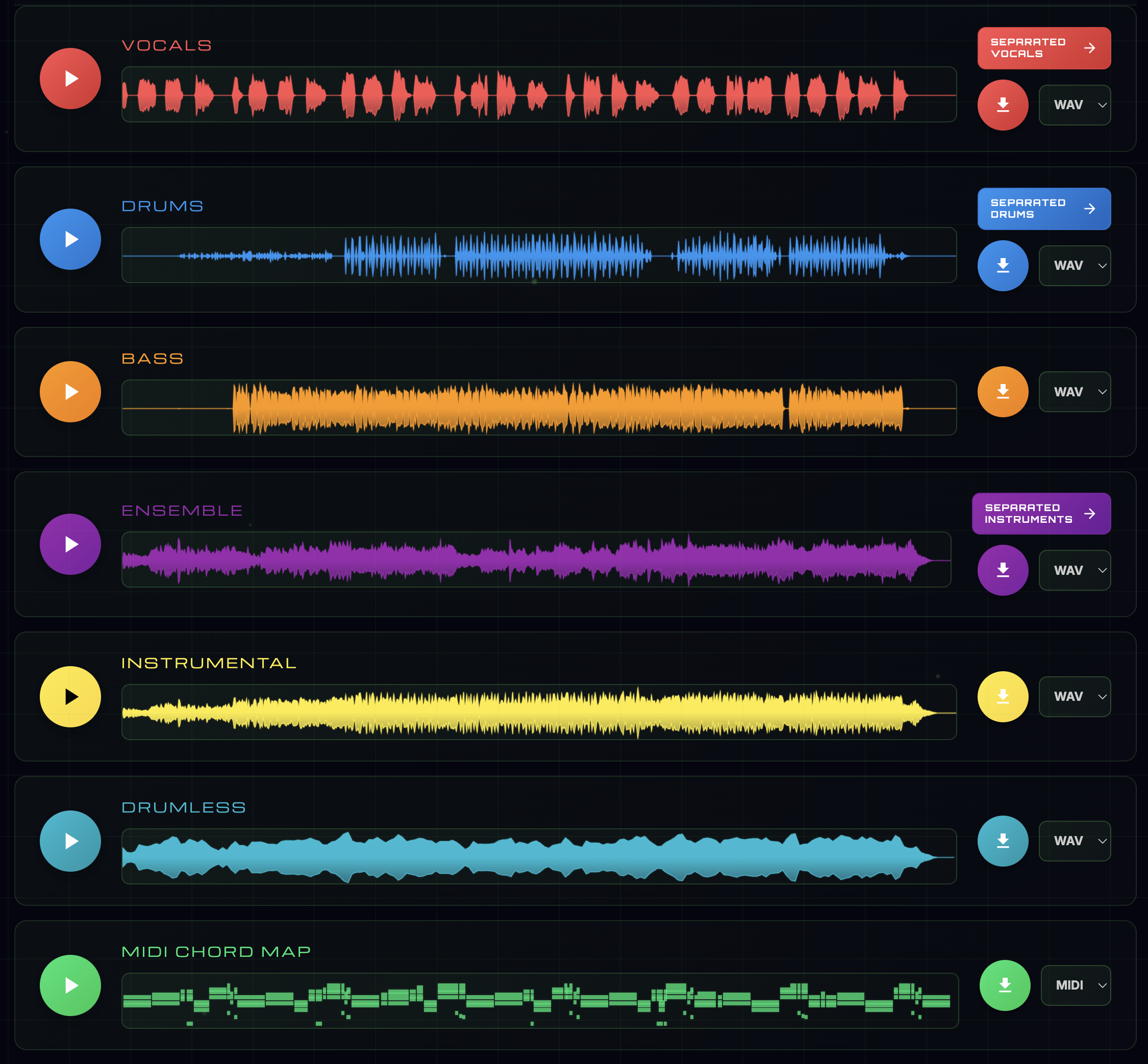
Stemulator splitting a song into isolated vocal, drum, bass, and instrument stems
See It Work

Every Stem, Visible

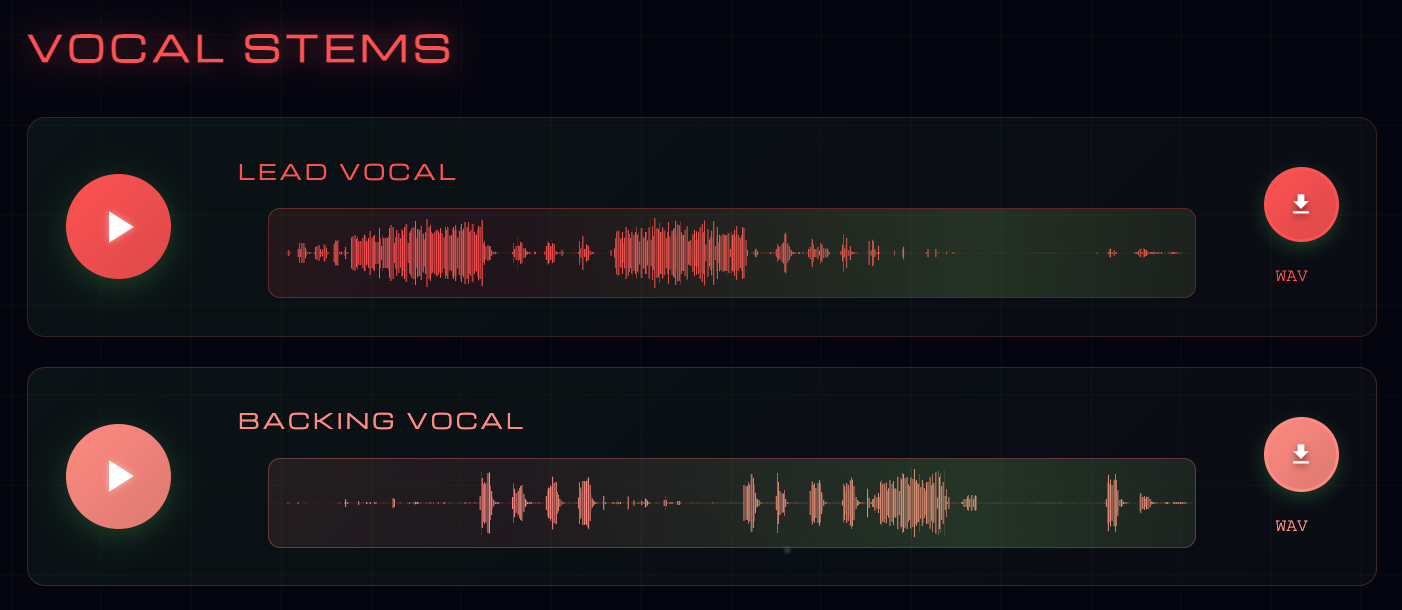
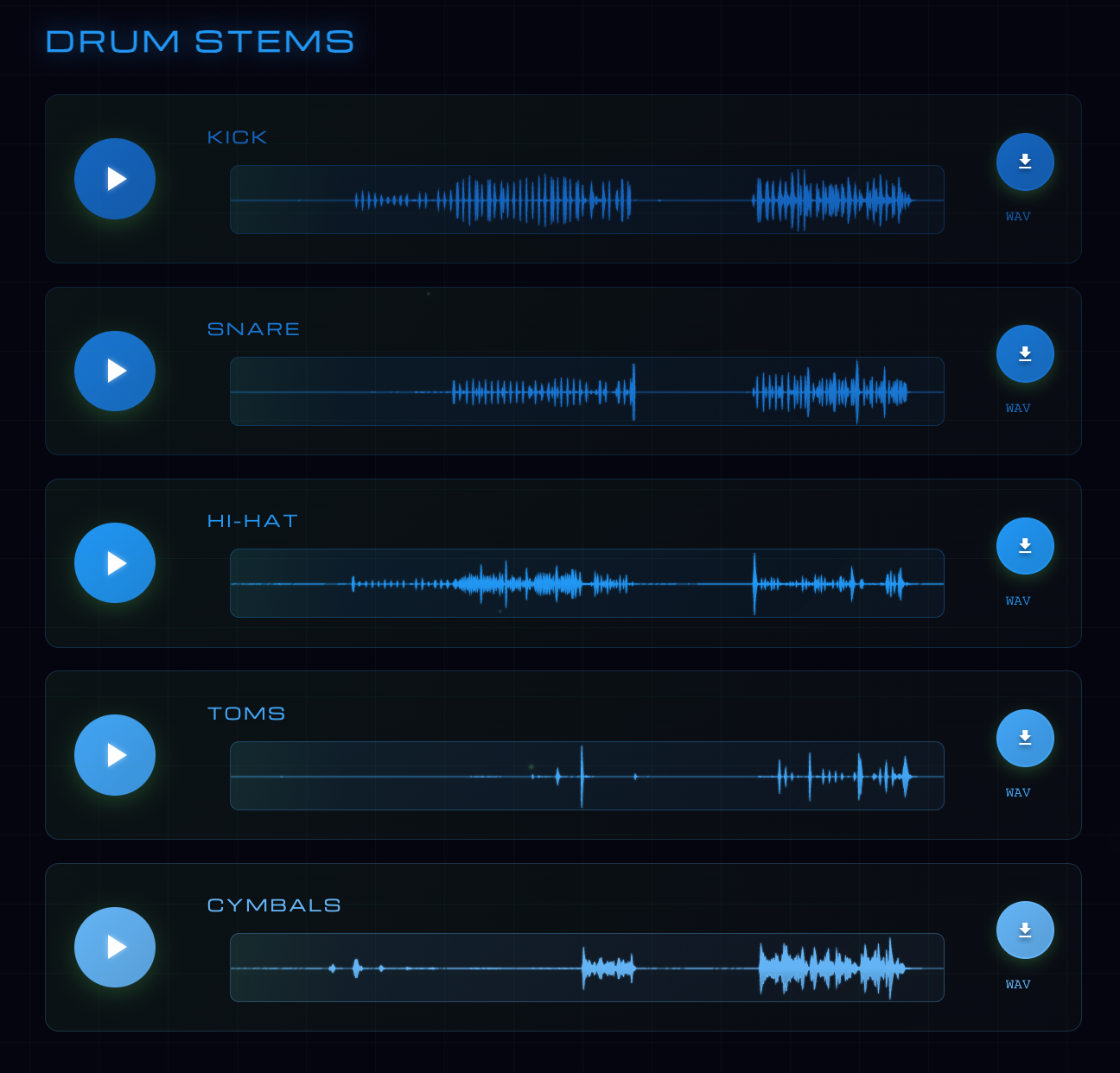
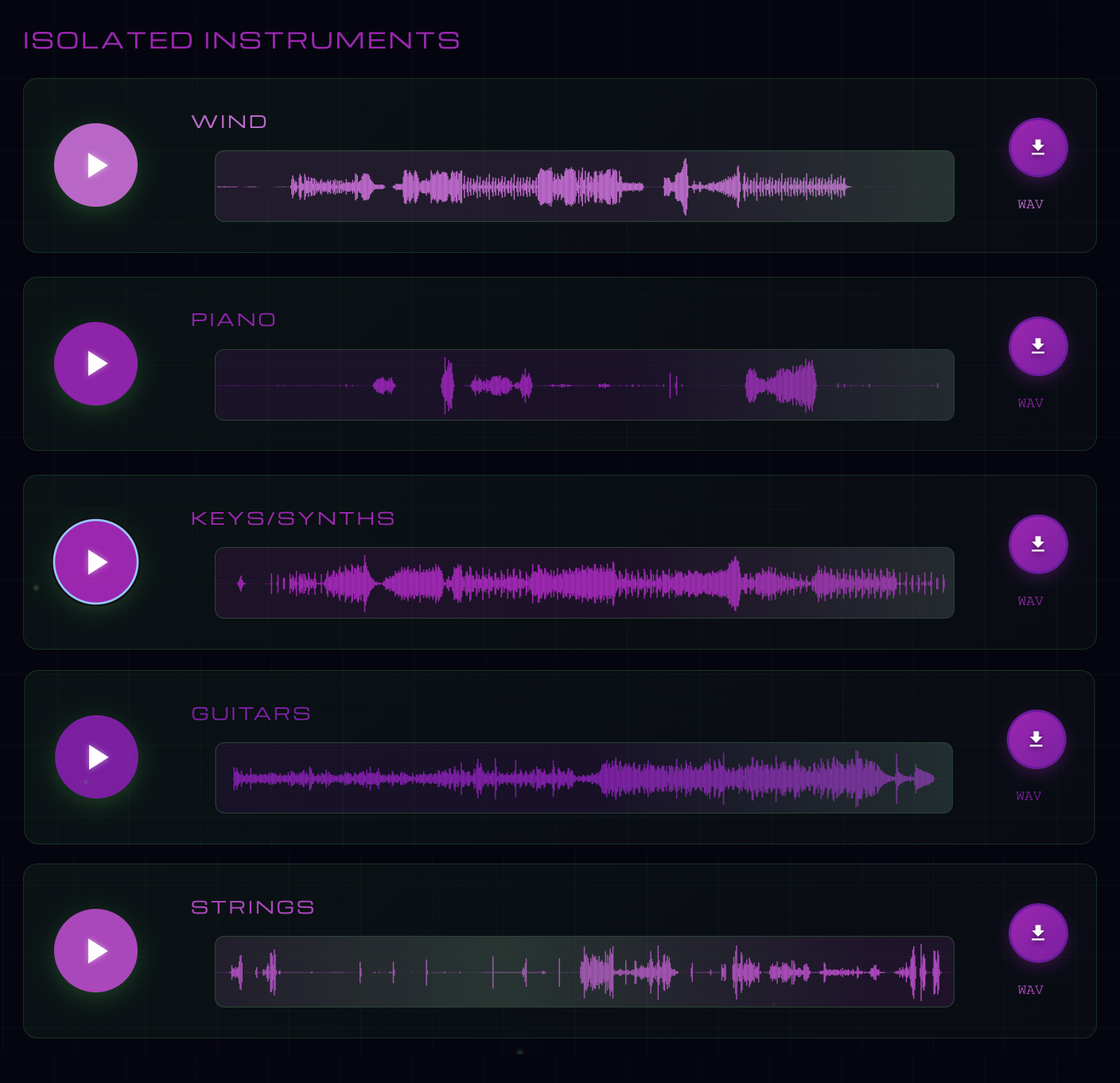
Stemulator doesn't stop at vocals + instrumental. Vocals split into lead and backing. Drums break into kick, snare, hi-hat, toms, and cymbals. The instrumental further isolates piano, guitar, strings, winds, and keys.

Vocal Split
Lead + Backing Vocals
Vocal separation panel showing isolated lead vocal and backing vocal stems split from the mix
Drum Split
Kick · Snare · Hi-Hat · Toms · Cymbals
Drum separation panel showing the drum stem broken into kick, snare, hi-hat, toms, and cymbals
Instrument Isolation
Piano · Guitar · Strings · Winds · Keys
Instrument isolation panel showing piano, guitar, strings, winds, and keys/synths split into individual stems
Try Stemulator
Only on Stemulator

Four Things Nobody Else Does

Most stem separators stop at audio files. Stemulator hands you the tools that come after separation — the ones remixers, producers, and bands actually use the most.

Stemulator Only

MIDI Chord Map

The whole song's harmony, playable.

Download a MIDI file of the entire chord progression. Drop it into any DAW and play the harmony on any synth, sample, or instrument — reharmonize, learn, or build a new arrangement.

Stemulator Only

Guitar, Bass & Piano Tabs

Playable tabs, on demand.

Generate guitar, bass, and piano tab PDFs directly from the chord detection. No manual transcription. Hand it to your bandmate or learn it yourself.

Stemulator Only

Warp to Fixed BPM

Your DAW grid, pre-locked.

Stems land time-stretched to a clean integer BPM your DAW can snap to. No warp markers, no transient smearing — drop on the grid and it just works.

Stemulator Only

Crop to First Downbeat

Drop at bar 1, it just works.

Stemulator detects the true first downbeat and trims every stem to start there. Drop into your DAW at bar 1 and everything lines up.

See the full Remix Production Suite
What You Get

Every Layer, Isolated

Stemulator doesn't just split a song into "vocals" and "other." You get each instrument on its own track.

🎤
Vocals
Full lead and backing vocals, cleanly separated with no instrumental bleed.
🥁
Drums
Optionally split into kick, snare, hi-hat, toms, and cymbals.
🎸
Bass
Pristine low-end, isolated from kick drum rumble and muddy mids.
🎹
Piano & Keys
Acoustic piano, Rhodes, organs, synths — each isolated individually.
🎻
Guitar
Electric, acoustic, and lead lines split from the rest of the arrangement.
🎷
Strings & Winds
Orchestral and solo instruments pulled cleanly from dense mixes.
More Than Separation

Built for Producers & Musicians

Stemulator doesn't stop at splitting a song. Every plan unlocks tools that make stems instantly usable in the studio, on stage, or on the go.

🎛️
Musicians Mode
DAW-style mixer — mute, solo, and balance stems in real time. Change key and tempo with studio quality. Live chord maps with guitar, bass, and piano tabs. Export your custom mix.
Quantized Stems
Optionally pre-grid your stems to a whole BPM starting on bar 1. Skip tempo-matching, grid-nudging, and pre-roll trimming — drag and drop straight into any DAW.
🎼
Chord Intelligence
Real-time chord detection with guitar, bass, and piano tabs. Download the MIDI chord map to add your own instrumentation in any DAW.
🔢
Up to 18 Stems
Lead vocal, backing vocal, bass, ensemble, piano, guitar, strings, winds, keys/synths, drums — plus kick, hi-hat, snare, toms, cymbals individually.
💎
Lossless Export
WAV, AIFF, or high-bitrate MP3. Lossless throughout the separation process — no compression artifacts introduced along the way.
📱
Every Platform
Web, macOS, Windows, iOS, and Android. One account across every device — start on one, finish on another.

What is stem separation?

A stem is an isolated component of a recorded song — just the vocals, just the drums, just the bass. Producers and mixing engineers have worked with stems for decades, but until recently you needed access to the original multitrack session files to get them. Stem separation reverse-engineers a finished stereo mix back into those components — giving anyone access to stems from any song they own.

Why Stemulator

Most stem separators were built for a single use case: pulling vocals off a track for karaoke. Stemulator was built for musicians, producers, and DJs who need every stem to be usable in a real session. That means:

  • No muddy low-mid bleed between bass and kick
  • Drum splits that preserve the original groove instead of smearing it
  • Individual instrument isolation — not a catch-all "other" bucket
  • Lossless WAV or AIFF export, ready to drop into Ableton, Logic, FL Studio, or Pro Tools

Real-world use cases

  • Producers — sample, flip, and remix tracks you own
  • DJs — build live mashups with independent vocal/instrumental control
  • Musicians — loop the drums, learn the guitar part, transcribe the bass
  • Audio engineers — recover stems when original session files are lost
  • Video editors — duck vocals under dialogue, isolate music beds
  • Educators — teach arrangement by showing one instrument at a time

Supported formats

Upload MP3, WAV, FLAC, M4A, AAC, OGG, or WMA. Download stems as WAV or AIFF for lossless quality, or MP3 for smaller files. All processing happens on our GPU cloud — your laptop stays cool.

How We Compare

Stemulator vs The Rest

FeatureStemulatorMoisesLALAL.AIFadr
Stem separation (vocals / drums / bass / instruments)
Drum splitting (kick / snare / hi-hat / toms / cymbals)Partial
Individual instrument isolation (piano / guitar / strings / winds / keys)Partial
BPM + Key + Chord detection
DAW-style Musicians Mode mixer
MIDI Chord Map export
Guitar / Bass / Piano tab PDFs
Warp to Fixed BPM
Crop to First Downbeat
FAQ

Questions, Answered

How does stem separation work?
Stemulator's separation engine has learned which frequencies in a mix belong to which instrument across a vast corpus of multitrack recordings. It reconstructs each layer as its own studio-quality audio file on our GPU cloud.
What separation engines does Stemulator use?
Two modes — High Quality (faster) and Studio Quality (slower, with fewer artifacts). Both produce isolated stems with no muddy bleed between layers.
What file formats can I upload?
MP3, WAV, FLAC, M4A, AAC, OGG, and WMA — files up to 500 MB. Download as lossless WAV, AIFF, or MP3.
How long does separation take?
Typically 30 seconds to 2 minutes per song, depending on length and the quality tier you choose.
Can I use separated stems commercially?
You can freely use stems from songs you own (your own recordings). For sampling copyrighted material, follow standard clearance rules as you would with any source.
Does Stemulator work offline?
Processing runs in our GPU cloud for speed. A companion macOS app pairs with the cloud service for a faster native workflow.

Start Separating.

Upload your first track in under a minute. No watermark, no compression.

Try Stemulator

Also Available On

Mac Windows iOS Android
Terms of Service Privacy Policy Data Deletion Contact