Studio-Quality Vocal Remover

Create Acapellas and Instrumentals From Any Song

Strip the vocals or pull a pristine acapella — your call. Studio-quality separation with no phase-inversion artifacts. Built for producers & musicians.

Lossless WAV / AIFF export · No phase-cancellation artifacts · Stereo intact
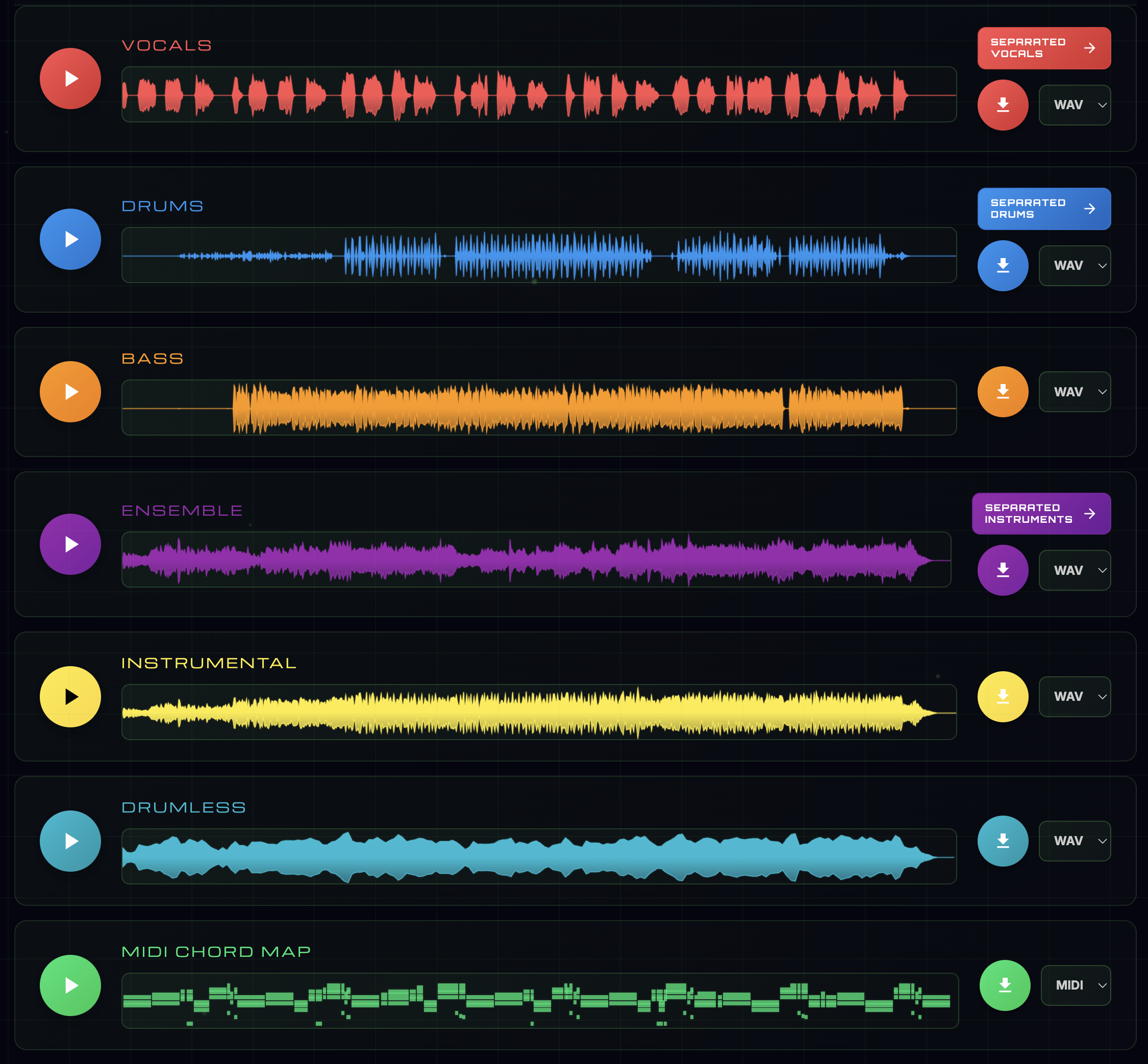
Studio-quality vocal remover splitting a song into a clean instrumental and isolated vocal
See It Work

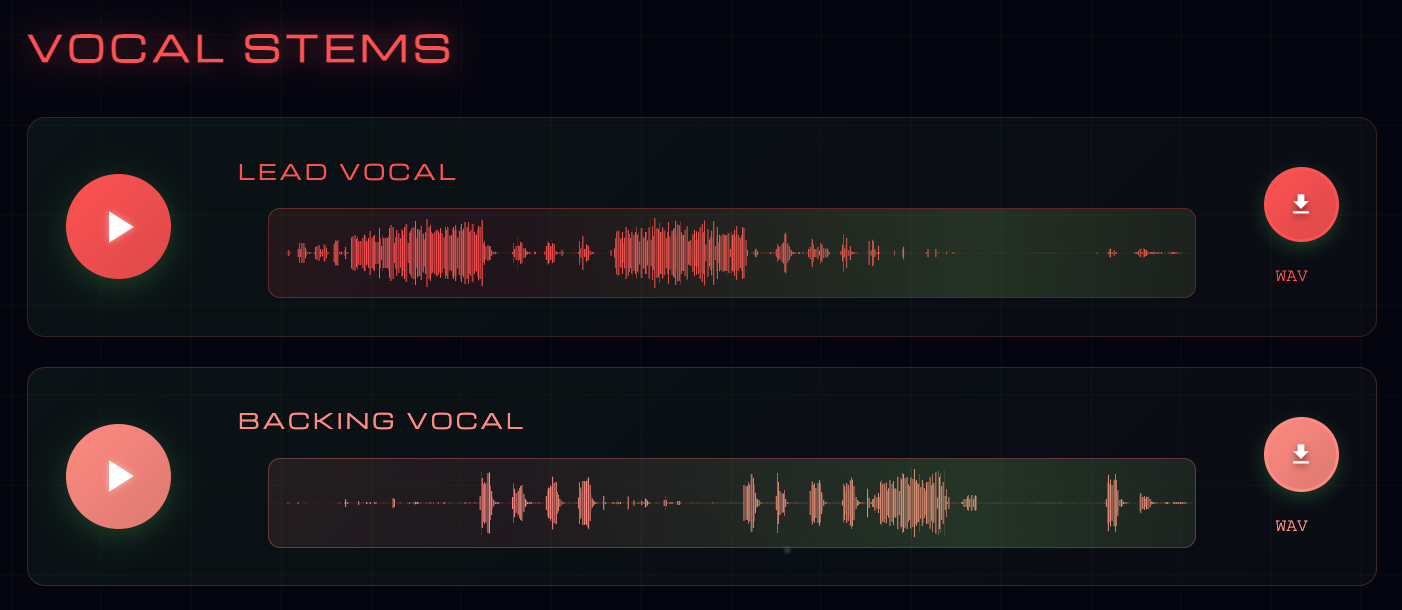
Vocals Split — Lead and Backing Separated

Upload any song. Stemulator separates the lead vocal and backing harmonies into independent stems — keep one, drop the other, or use both.

Stemulator vocal separation panel showing the original mix split into isolated lead and backing vocal stems
Try Stemulator
Only on Stemulator

Four Things Nobody Else Does

Most vocal removers stop at audio files. Stemulator hands you the tools that come after separation — the ones every remixer, beatmaker, and cover band actually need.

Stemulator Only

MIDI Chord Map

The whole song's harmony, playable.

Download a MIDI file of the entire chord progression. Drop it into any DAW and play the harmony on any instrument — perfect for reharmonizing or building a new beat under the acapella.

Stemulator Only

Guitar, Bass & Piano Tabs

Playable tabs, on demand.

Generate guitar, bass, and piano tab PDFs directly from the chord detection. No manual transcription. Hand it to your guitarist or learn it yourself.

Stemulator Only

Warp to Fixed BPM

Your DAW grid, pre-locked.

Stems land time-stretched to a clean integer BPM your DAW can snap to. No warp markers, no transient smearing — drop it on the grid and it just works.

Stemulator Only

Crop to First Downbeat

Drop at bar 1, it just works.

Stemulator detects the true first downbeat and trims every stem to start there. Drop into your DAW at bar 1 and everything lines up.

See the full Remix Production Suite
What You Get

Two Files, One Upload

🎼
Vocals Removed
Full instrumental with the lead vocal cleanly stripped out — no hollow, phasey residue.
🎤
Vocals Isolated
Clean acapella of the vocal performance, ready to sample or remix.
🎙️
Lead + Backing Split
Lead and backing vocals split into independent stems — keep, mute, or use both.
🔊
Stereo Intact
No mono-collapse artifacts — the instrumental retains its original stereo field.
💎
Lossless Export
Export lossless WAV or AIFF for mixing, or MP3 for quick sharing.
Seconds, Not Minutes
Cloud GPU processing returns your files fast — no local CPU cooking.
More Than Separation

Built for Producers & Musicians

Removing vocals is just the start. Stemulator gives you tools competitors don't — so the stems you pull are instantly usable.

🎛️
Musicians Mode
DAW-style mixer — mute, solo, and balance stems in real time. Change key and tempo with studio quality. Live chord maps with guitar, bass, and piano tabs. Export your custom mix.
Quantized Stems
Optionally pre-grid your stems to a whole BPM starting on bar 1. Skip tempo-matching, grid-nudging, and pre-roll trimming — drag and drop straight into any DAW.
🎼
Chord Intelligence
Real-time chord detection with guitar, bass, and piano tabs. Download the MIDI chord map to add your own instrumentation in any DAW.
🔢
Up to 18 Stems
Lead vocal, backing vocal, bass, ensemble, piano, guitar, strings, winds, keys/synths, drums — plus kick, hi-hat, snare, toms, cymbals individually.
💎
Lossless Export
WAV, AIFF, or high-bitrate MP3. Lossless throughout the separation process — no compression artifacts introduced along the way.
📱
Every Platform
Web, macOS, Windows, iOS, and Android. One account across every device — start on one, finish on another.

The old way didn't work

For decades, "vocal removers" used phase inversion — flipping one stereo channel and summing to cancel anything center-panned. It worked on some songs, terribly on most. Modern reverb, stereo width, and production tricks broke the method completely. You'd end up with hollow, metallic audio and vocal bleed everywhere it was supposed to be gone.

The Stemulator way

Stemulator's separation engine has learned the acoustic signature of a human voice across a vast corpus of multitrack recordings. The engine recognizes what a voice sounds like — not where it's panned — so it can remove vocals from any mix regardless of production style. You get a clean instrumental that sounds like the original minus one layer, not a gutted approximation of it.

Who uses a vocal remover?

  • Karaoke hosts & singers — strip vocals to sing over the real instrumental
  • Producers — pull acapellas for remixes and mashups
  • Students — learn a guitar or piano part without the vocal distracting
  • Content creators — use instrumentals as background music in video
  • Translators & dubbers — replace original vocals with a new language
  • Worship & cover bands — rehearse with the exact instrumental of the real song

Remove or isolate — both in one pass

Every vocal-remover job on Stemulator produces both outputs: the instrumental (no vocals) and the isolated vocal acapella. One upload, two files. Lead and backing vocals can also be split into separate stems.

Supported formats

Upload: MP3, WAV, FLAC, M4A, AAC, OGG, WMA. Download: lossless WAV, AIFF, or MP3.

How We Compare

Stemulator vs Other Vocal Removers

FeatureStemulatorMoisesLALAL.AIFadr
Studio-quality vocal removal
Acapella + instrumental from any song
Lead vs backing vocal split
BPM + Key + Chord detection
MIDI Chord Map export
Guitar / Bass / Piano tab PDFs
Warp to Fixed BPM
Crop to First Downbeat
FAQ

Vocal Remover Questions

How clean is the instrumental?
Stemulator offers two separation engines — High Quality (faster) and Studio Quality (slower but with fewer artifacts). The output retains the original stereo field with no phase-cancellation issues.
Can I remove only backing vocals and keep the lead?
Yes — Stemulator separates lead and backing vocals into independent stems so you can keep or mute either.
Will this work on rap and hip-hop?
Yes — the model is trained across hip-hop, R&B, pop, rock, electronic, jazz, and classical.
What's the difference between a vocal remover and a stem separator?
A vocal remover gives you two files: vocals and instrumental. A stem separator splits the instrumental further into drums, bass, guitars, and keys. Stemulator does both.
Can I use the vocals I extract?
For songs you own or have licensed, freely. For copyrighted material, follow standard sampling clearance rules as you would with any source.

Try the Vocal Remover

Upload your first track and hear the difference in under a minute.

Remove Vocals Now

Also Available On

Mac Windows iOS Android
Terms of Service Privacy Policy Data Deletion Contact